How to change clothing colour with AI, without a reshoot
You can change clothing colour with AI by starting from one sharp photo of the garment and a real colour reference for each new colourway. AI recolours the garment while keeping the fabric, folds, model and light. It works best on solid colours and matte fabrics, and every variant should be checked against a physical swatch before it goes live.
Why brands recolour instead of reshooting
A product in six colours used to mean six samples, six setups and six rounds of retouching. Often the samples arrived late, so the product page went live with one colour photographed and the rest shown as small swatches.
Shoppers notice. A colour they can't see properly is a colour they are less likely to buy, and more likely to return if it looks different in real life.
AI changes the maths. You shoot one colourway well. Every other colourway is made from that image, with the same light, the same crop and the same quality.
How AI colour changes work
The process has three steps.
- Isolate the garment. The AI separates the product from the background, the model and any accessories.
- Change the colour, keep the surface. The new colour is applied while folds, seams, shine and shadows stay where they were.
- Check against the reference. A person compares each variant with the physical swatch and fixes anything that drifted.
The third step is the one most tools skip. It is also the one that protects your return rate.
"We have a system that lets us note whether each image matches the colour reference exactly."
Every variant is logged against its reference. Anything that doesn't match exactly goes back for a fix before delivery.
Packshots and on-model images
Colour variants work on both.
On packshots, the job is simpler: one garment, one background. This is where most brands start.
On on-model images, the AI has to change the garment and nothing else: not the skin, not the hair, not the shoes. It takes more care, but it means every colourway can appear on the model, not only the hero colour.
Combine the two and a single shoot covers the full product page, in every colour. See AI colour variants for product photos and AI models for clothing brands.
What works well, and what needs care
| Works well | Needs more care |
|---|---|
| Solid colours | Complex or multicolour prints |
| Matte and lightly textured fabrics | Metallic, glossy or iridescent finishes |
| Simple patterns like stripes | Very dark colours, where detail can disappear |
| Cotton, wool, denim, nylon | Sheer fabrics that show skin or layers underneath |
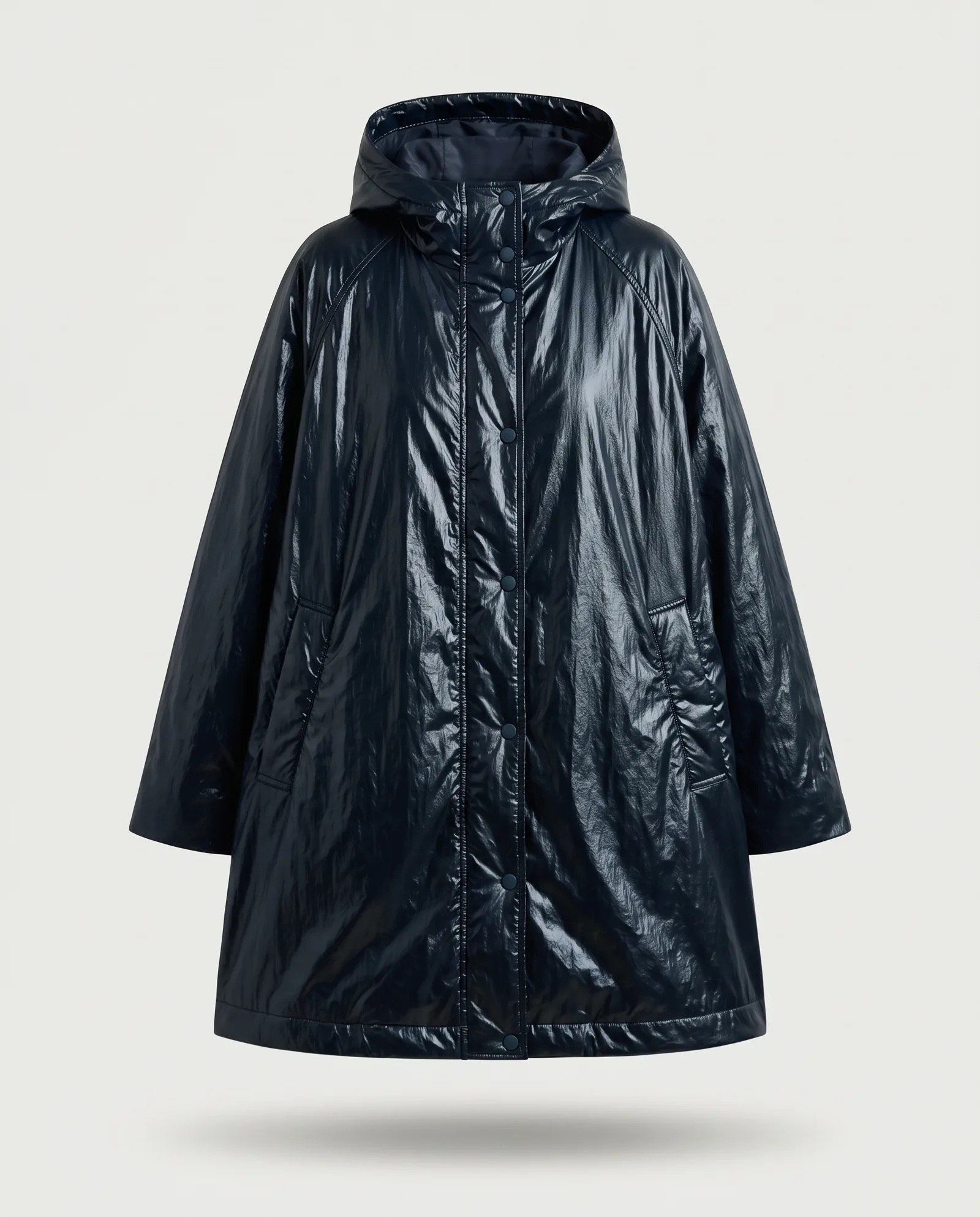
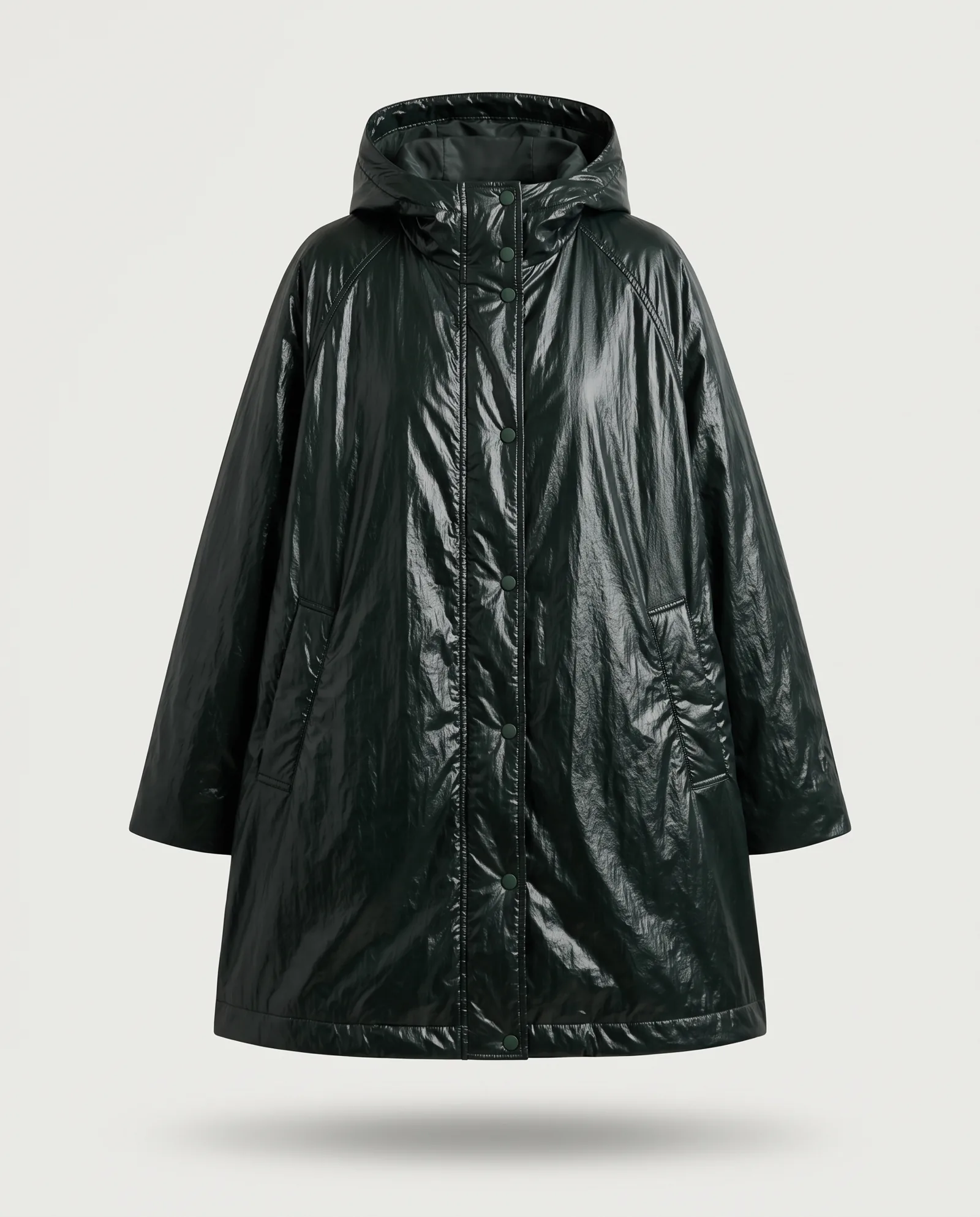
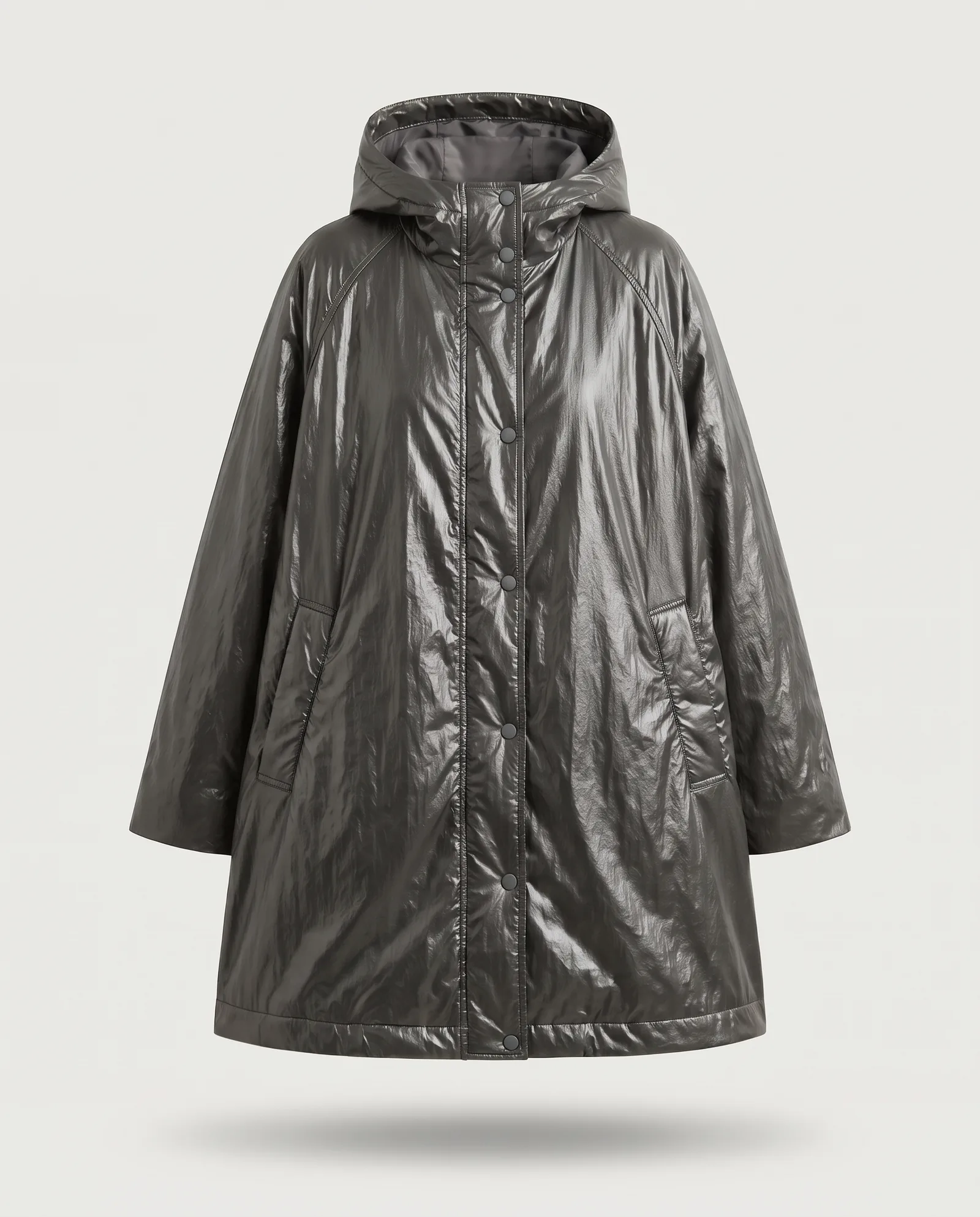
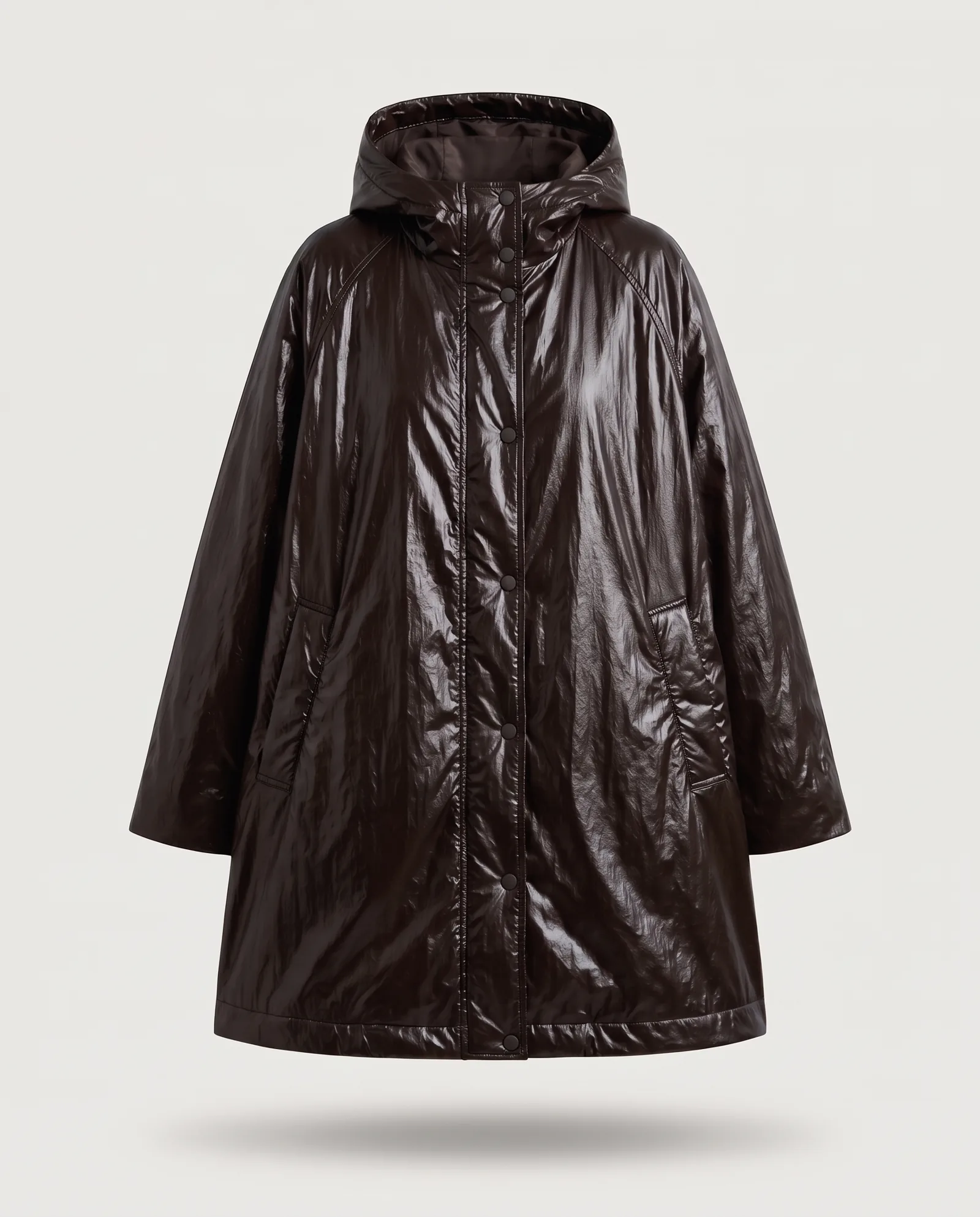
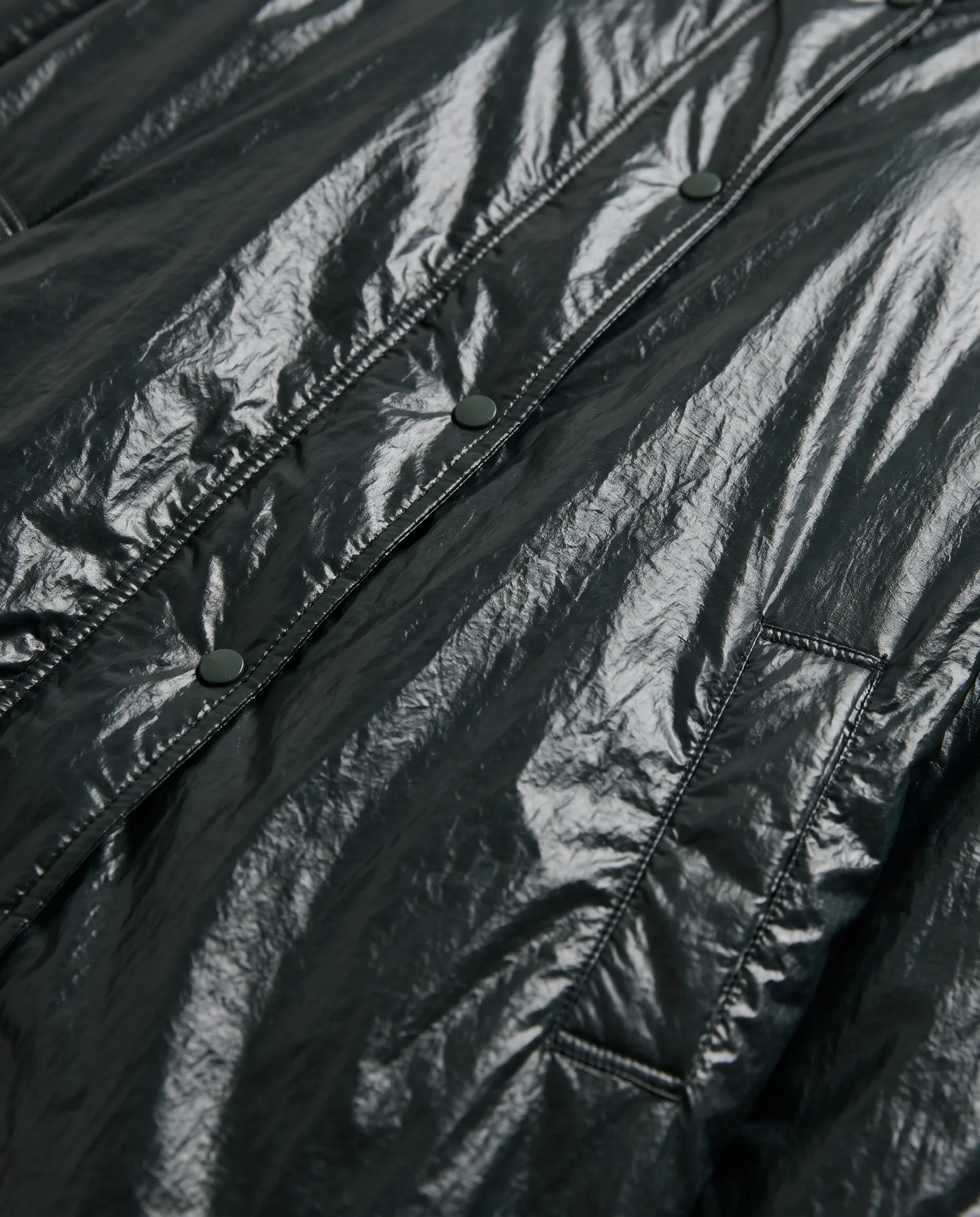
Glossy fabrics are a good example. The parka above has a high-shine finish, so each colour has to keep its highlights in the right place. That is checked by eye, frame by frame.
Where colour variants pay off most
Colour variants matter most where shoppers decide between colours, not between products.
- Product pages with a colour picker. When a shopper clicks a swatch, the main image should change to that colour, not stay on the hero colour.
- Marketplaces. Each colour often has its own listing, and each listing needs its own clean images.
- Restocks and new colours mid-season. A new colourway can go live without waiting for a sample to arrive and a shoot slot to open.
- Social and ads. Testing two or three colours in the same creative shows which one your audience prefers before you commit stock.
In each case, the work is the same: one good source image, one colour reference per variant, one check per frame.
How to keep colours accurate
Colour is where AI images most often go wrong, and where shoppers most often complain.
- Send real references. A Pantone code, a lab dip or a photo of the swatch next to a colour card. Never a word like "sage" or "stone".
- Name the source colour too. The AI needs to know what it is changing from as well as what it is changing to.
- Check on a calibrated screen. A laptop on full brightness is not a colour reference.
- Check the darks. Navy, black and brown can merge into one flat shape. Make sure seams and pockets still show.
- Compare side by side. Put all colourways next to each other. If one looks lighter or flatter than the rest, fix it before launch.
A worked example: one parka, four colours
The images on this page come from our own parka demo. We started with a single phone photo of a bottle-green parka on a hanger. It was turned into a clean packshot on a stone background, which became the master image.
From that master, we made charcoal, chocolate brown and midnight navy. Each one kept the same shape, the same folds and the same high-shine finish. The highlights on the nylon had to stay bright on the dark colours without turning grey. That took a manual check on every frame.
The same parka then went onto AI models for the on-model images, and into a short video. One sample, one photo, a full product page in every colour.
Questions to ask a provider
Before you hand over a colour range, ask:
- How do you check each colour against the physical swatch?
- What happens with glossy, metallic or very dark fabrics?
- Can you recolour on-model images as well as packshots?
- Who fixes a variant that drifts, and how is that handled in the quote?
- Can we see before-and-after examples on a fabric like ours?
A provider who answers these clearly has done the work before.
When you still need the real sample
AI recolouring doesn't replace every sample.
- New fabrics or finishes that have never been photographed need a real photo first.
- Prints that change between colourways, not only in colour but in layout, need their own source image.
- Hero campaign images for a key colour may still deserve their own shoot or their own AI direction.
The rule: if the difference between colourways is only the colour, AI can carry it. If anything else changes, start from a new photo.
What to send us
- One sharp photo of the garment in its best colourway: even light, in focus, colour-true.
- A colour reference for every variant: Pantone code or swatch photo.
- Your list of colourways, with names as they appear on your site.
- Any on-model images you want recoloured as well.
You approve the first variants. Then the rest follow. Turnaround is agreed per project, often days rather than weeks, at 40-70% lower cost than traditional production. For the full product page workflow, read AI product photography for fashion.
Questions
Can AI change the colour of clothes in a photo?
Yes. AI can change the colour of a garment in a photo while keeping the fabric, folds, model and light. It works best on solid colours and matte fabrics.
Can I change the color of a product photo without reshooting?
Yes. Start from one sharp photo of the product and send a colour reference for each new colourway. Each variant is then checked against the physical swatch.
Does AI colour changing work on model photos?
Yes. The AI changes the garment only and leaves the skin, hair and other clothing alone. It takes more care than packshots, but every colourway can then appear on the model.
How accurate are AI colour variants?
Accurate when you send a real colour reference and someone checks every image on a calibrated screen. Without a reference, colours drift.
Which fabrics are hardest to recolour with AI?
Metallic, glossy and iridescent finishes, sheer fabrics, very dark colours and complex multicolour prints. They can need extra manual work.